Fast Android backup for photos, contacts, documents, and APKs
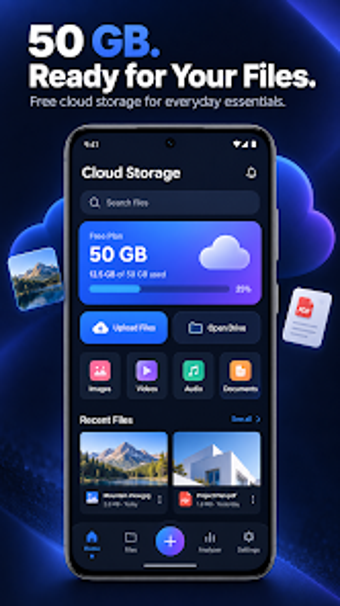
Cloud Storage Fast Backup Data automates photo, video, document, contact, and APK backup and offers one-tap restore for Android devices, making device migration and recovery straightforward. Zain Games & Apps builds the tool for mobile users who need simple data protection without technical setup, and the app highlights fast upload and download speeds plus encrypted transfers. It suits individuals with limited local storage or frequent device changes who want a single place to store and recover essential files.
How it protects mobile data and reduces local storage pressure
Cloud moves large media and documents off the device by backing up photos, videos, and documents to cloud servers, which the app lists as a way to free up phone memory. The app also backs up contacts and installed APK files, so a full device reset or upgrade can be restored with the one-tap restore feature. Fast upload and download speeds are presented as a specific advantage for large media transfers.
How core workflows handle backup and recovery
The app supports both automated and manual backup flows: scheduled or instant photo and video uploads, plus explicit document and APK save actions. File organization tools let you browse and manage uploaded content inside the app, so the backup folder structure and restore steps remain visible. One-tap restore applies the saved contacts, media, and APKs back to the device for a quick recovery after migrating or resetting a phone.
Onboarding, permissions, and expected learning curve
Setup requires standard storage and contact permissions on Android, and the interface is described as simplified so no technical knowledge is required. The app's design targets individual mobile users rather than IT teams, with visible controls for manual uploads and a simple restore action. Contact backup and APK export reduce the manual steps you normally perform when switching devices.
Compatibility, security, and developer position
The app runs on Android and syncs backed-up files to cloud storage accessible from other Android devices after account sign-in. The developer highlights encrypted transfers to protect data in transit and at rest. Zain Games & Apps markets this as an all-in-one mobile backup tool that combines media, contacts, and application file preservation under a single interface.
Who should choose this app and where it fits into a workflow
Cloud is a practical backup tool for individual Android users who juggle limited device storage and frequent device changes, because it consolidates media, contacts, and APK preservation with one-tap recovery. It does not target enterprise device fleets or specialist migration projects that need central admin controls. For personal or small-scale use, it performs the core task of fast, encrypted backup and quick restoration reliably.